Excel List to Google Maps: How to Upload Your Business List
You have a company list in Excel and want to see it on a map. Google has a free tool for this, called My Maps. It turns every address in your list into a pin. Clean addresses give clean pins, so prepare the list first.
Prepare your Excel list with the free tools
- Format US Addresses: brings US addresses into one format.
- Clean Whitespace: removes hidden spaces that confuse the map.
- Find and Remove Duplicates: so no pin sits twice.
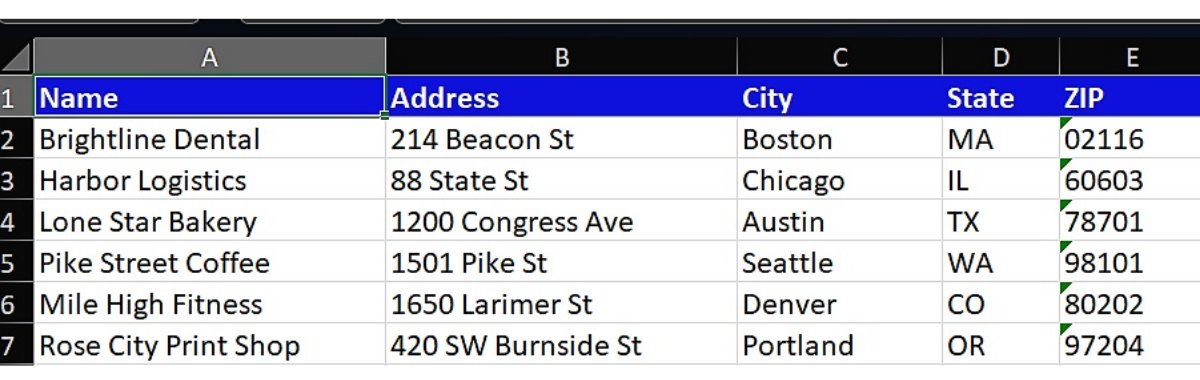
Keep one header row on top. The first row must hold the column titles, like Name, Address, City, State and ZIP. Put the full address in the columns, not in a note. Format ZIP codes as Text to keep the zeros.
Import the list into My Maps
- Sign in with a Google account and open My Maps.
- Click Create a new map.
- Click Import in the layer box.
- Choose your Excel or CSV file.
- Select the columns with the address. Click Continue.
- Select the column for the pin title, like the company name. Click Finish.
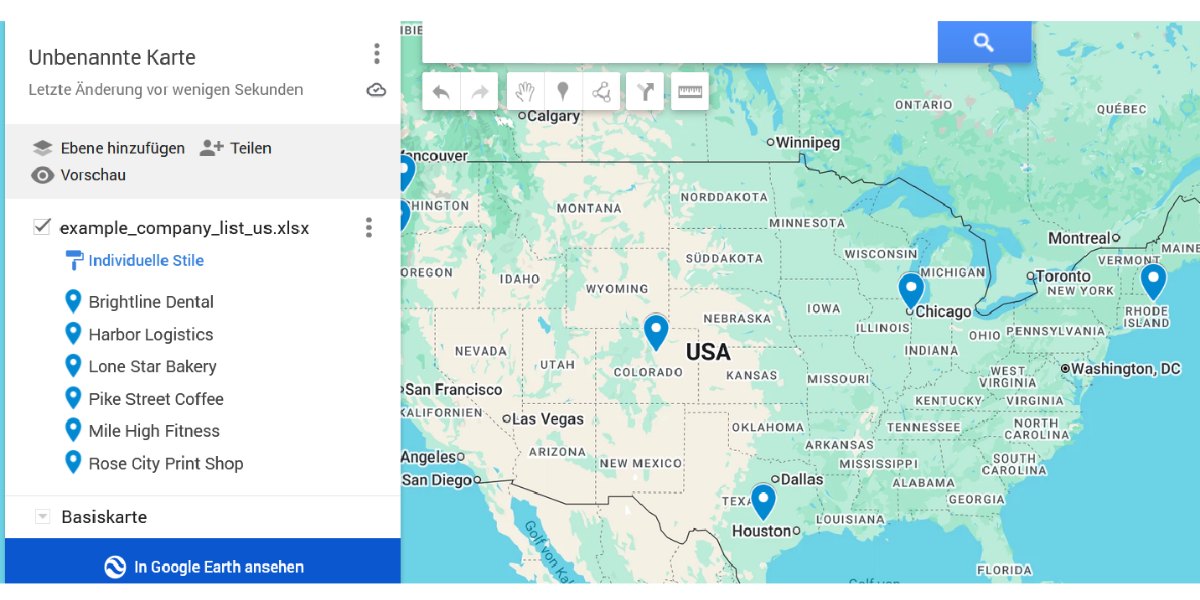
Your pins appear on the map. The list on the left shows every company by its title.
Pins missing or in the wrong place
- An address is not complete. Add city, state and ZIP.
- The address sits in a different column than the one you picked. Import again with the right columns.
- Your list has more than 2,000 rows. A free import takes up to 2,000 rows, so split your list into parts.
- Your file is bigger than 40 MB. Remove columns you do not need.
Check before you share the map
- A new map is private. Only you can see it.
- Your list goes to Google when you import it. Our free tools never upload your file, a map import does.
- Share a map only with data you may share. Do not publish private data of people.
Excel list to Google Maps: before and after
| Before in Excel | After the import |
|---|---|
| Brightline Dental, 214 Beacon St, Boston, MA 02116 | One pin on the map |
| Harbor Logistics, 88 State St, Chicago, IL 60603 | One pin with a title |
One row in Excel is one pin on the map.
Get your addresses ready for the map
These free tools run on your own computer. Your list is never uploaded.
Questions about Excel and Google Maps
Is My Maps free?
Yes. You need a Google account.
How many rows can I import?
A free import takes up to 2,000 rows. Split bigger lists into parts.
Which file types work?
Excel files, CSV files and Google Sheets.
Why does a pin sit in the wrong city?
The address is incomplete or has a typo. Add city, state and ZIP and import again.
Can other people see my map?
Not unless you share it. A new map is private.
More Excel guides
Mail Merge from Excel: How to Prepare Your List (No Errors)
Get your Excel list ready for a mail merge in Word.
How to Keep Leading Zeros in Excel (ZIP Codes and IDs)
Excel turns 02110 into 2110. Here is how to get the zero back.